I am a big fan of hardware trackers, and a few months ago, I got a Pico Tracker Advance from Xiphonics.
I won’t go into all of the ins-and-outs of what a tracker is, but for those that don’t know – it’s a way of composing music popularised by software like OctaMED on the Amiga, and LSDJ on the Game Boy.
The whole point of the Pico Tracker Advance is that you can write tunes on the go, with its rather nice portable handheld form. However, a computer inevitably ends up involved in the process at various stages – to transfer samples, or export your songs.
As something of a well-heeled tracker enthusiast, I know from experience that there are a bunch of things that are just easier on the computer – and so I built out a collection of tools specifically designed to augment the whole process.
There are a pile of features, but some of the key ones are:
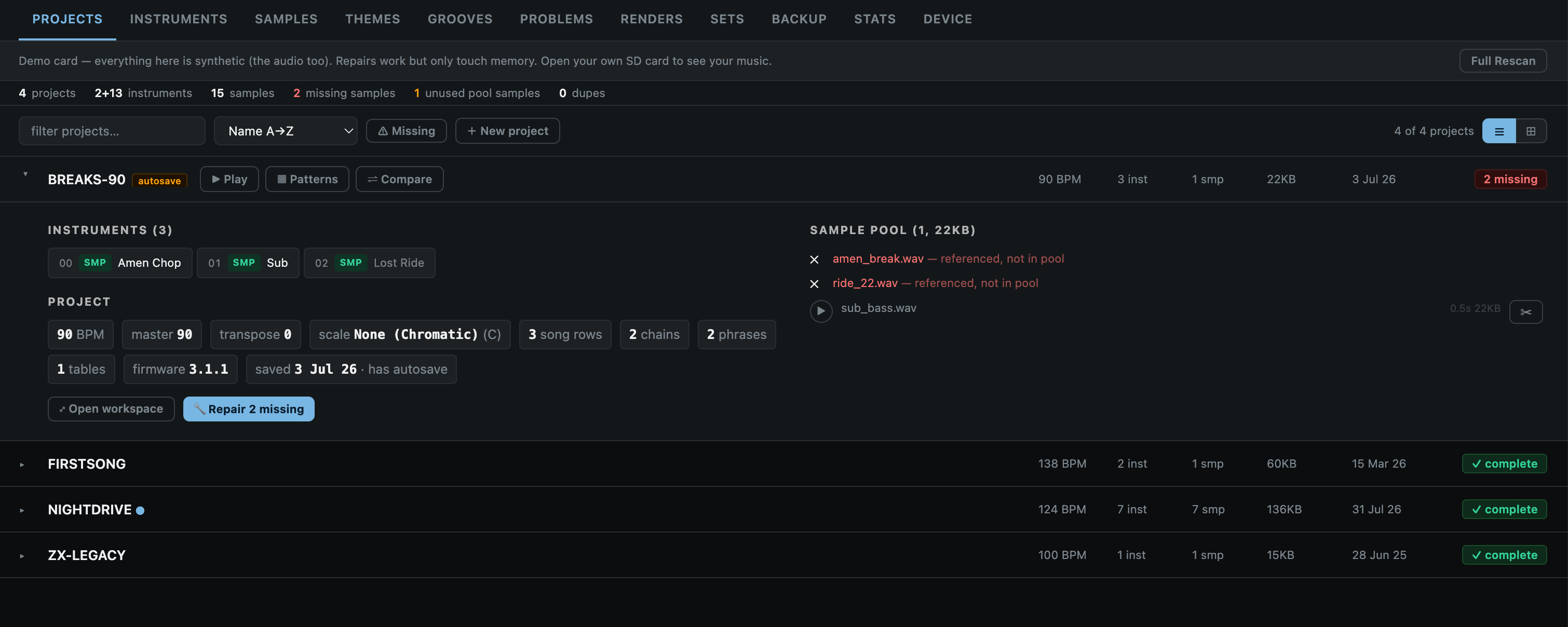
Project manager – view, preview, and edit projects – including exporting stems/mixdowns.
Setlist builder – to create custom folders of songs in order, ready for playing live.
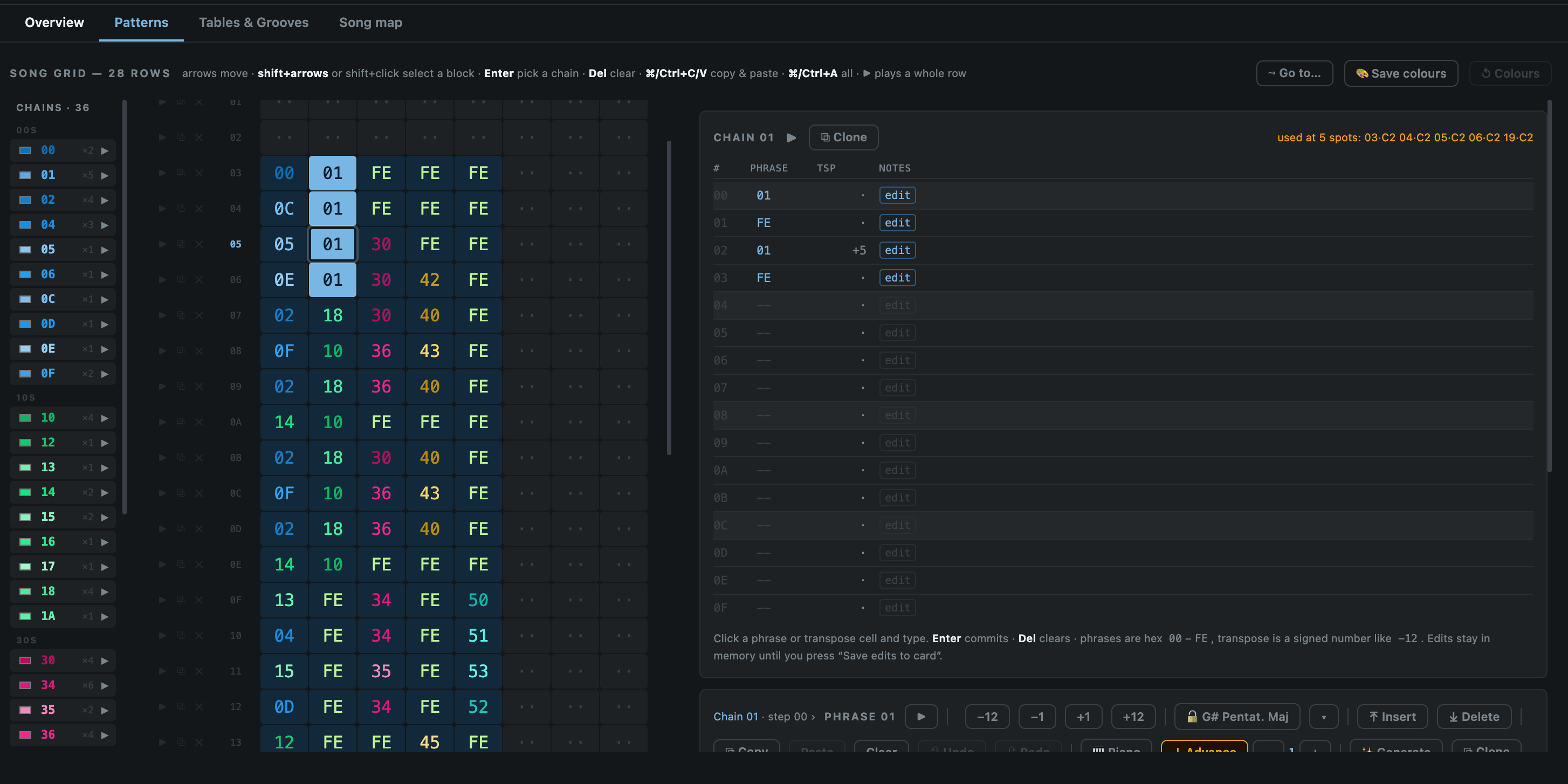
Pattern editor – tweak patterns/edit songs from the browser.
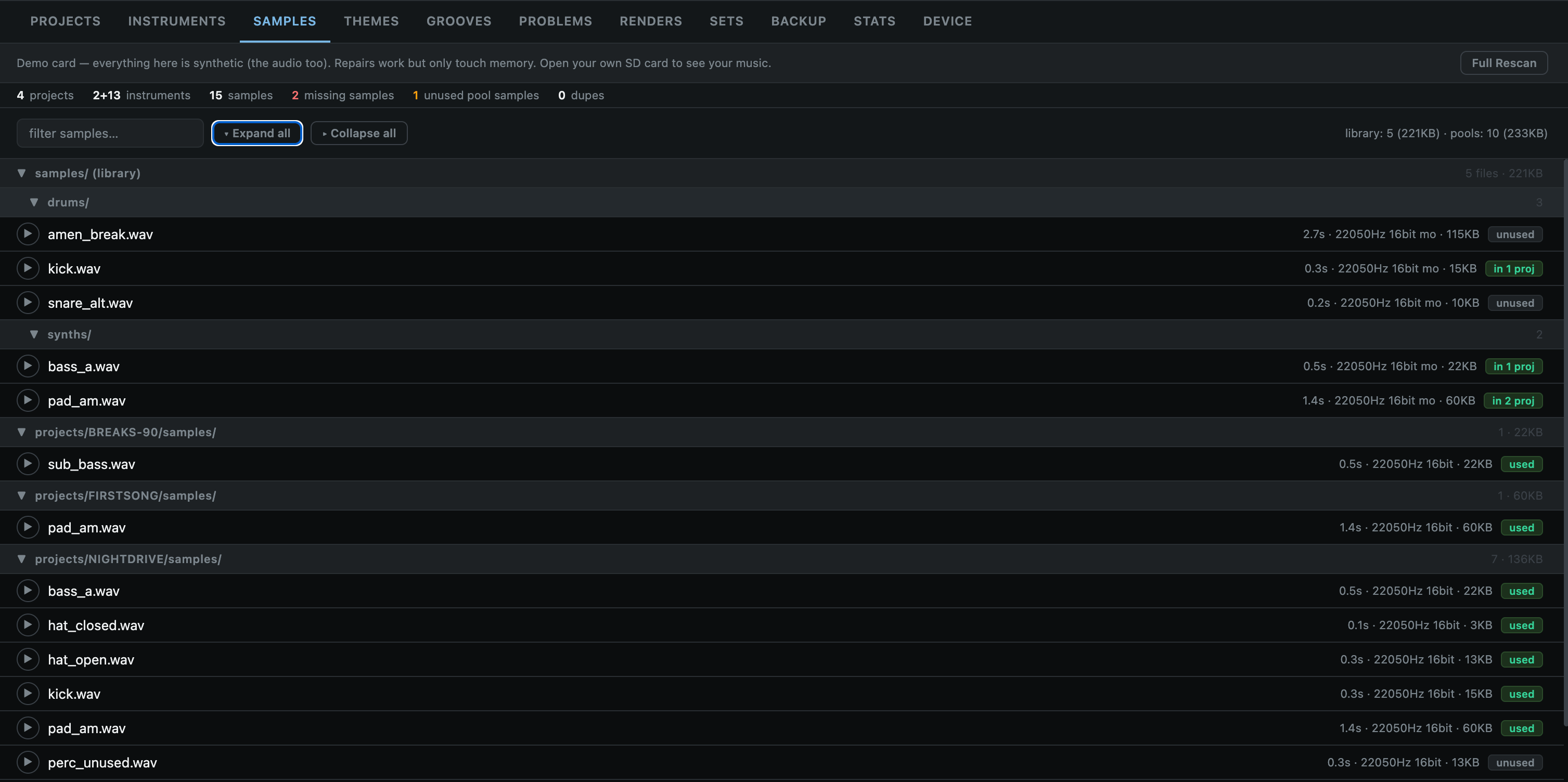
Sample manager – analyse, preview, delete, and identify broken links to samples.
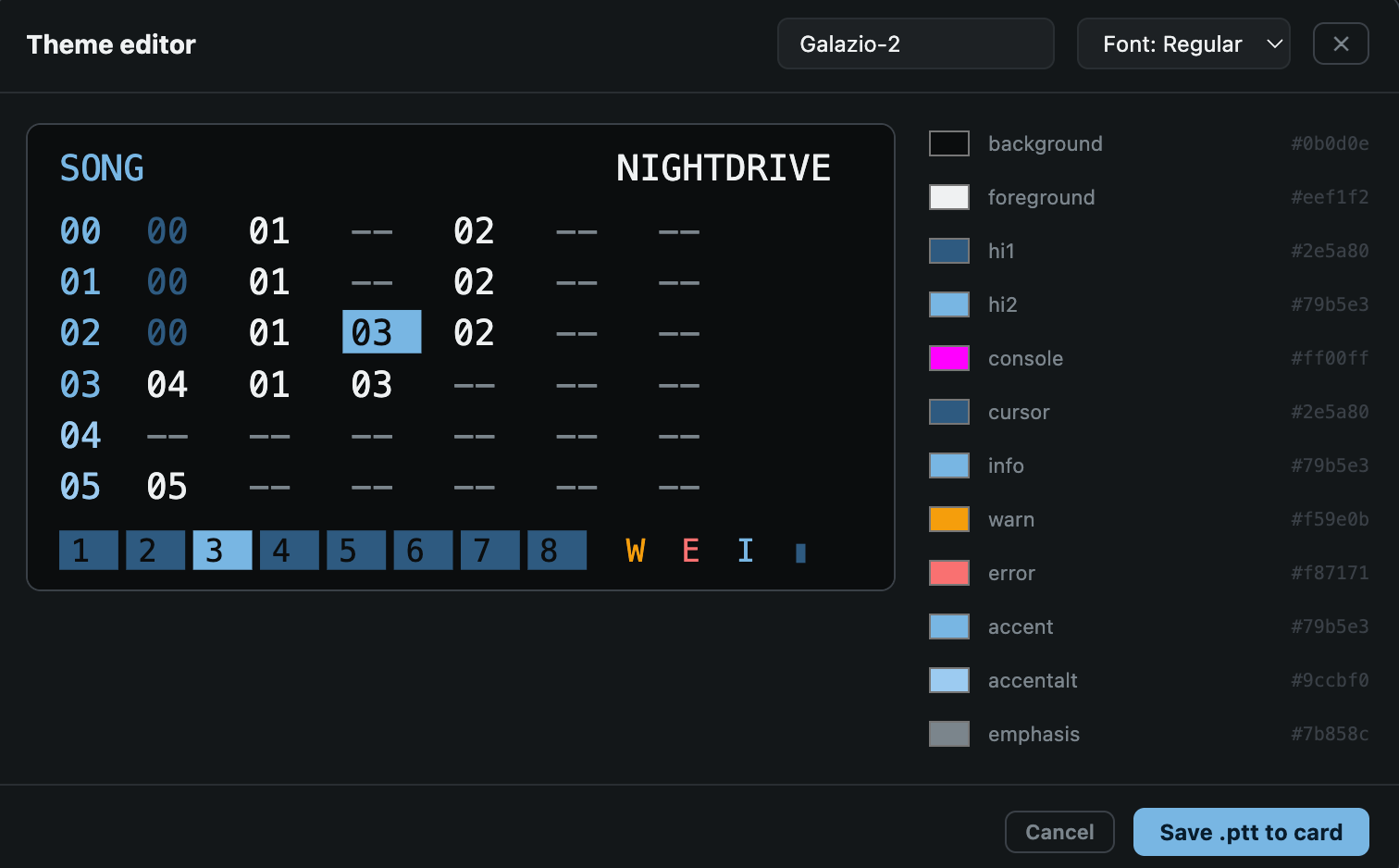
Theme manager – Create, edit, preview, and apply themes.
Audio Reactive Video Mirror – This is a big fun one for me. It lets you use the remote UI to mirror the display, apply effects and also have them react to incoming audio. Good for playing live/recording via OBS for music videos or whatever.
Fair Warning: This is a collection of utilities I put together for my own personal whims, and development is still experimental. Feel free to try it out, but make sure to backup your projects and SD card to avoid any unintended data loss. I don’t take responsibility for any screw-ups!
A long time ago I bought a set of Nuraphones – these unique, over-ear headphones that promised immersive sound and incredible bass.
The results were good, and to this day I haven’t ever tried any other headphones like them. They weren’t without their flaws though: bulky, uncomfortable, and with proprietary cables – all factors which meant I haven’t really used them much over the last few years.
Recently, I dug them out to have another go, and discovered a couple of things:
A simple mod had been discovered that made the inner-ear tips a bit less fatiguing on the ol’ lugs.
The manufacturer had been bought out, and the nuraphones discontinued in 2023.
While it was great news that I could now enjoy the impressive sound of these things without wanting to rip my ears out from the pain, the fact they were no longer going to be supported by the manufacturer was a real issue, because certain key settings of the headphones can only be modified with the use of a mobile app. It was just a matter of time before that was no longer supported.
Thankfully, after a bit of Googling, I found that the community had created a few different desktop applications to allow access to these settings.
The projects that already existed
The star of the show is opennura by James Young: an open-source Mac app that already spoke the nuraphone’s control protocol (Qualcomm GAIA) and had the encryption handshake figured out. There was just one catch. Every nuraphone has a unique encryption key baked into it, and without that key an app can connect to the headphones but not actually control them. The official mobile app fetched the key from Nura’s servers when you first set the headphones up, and there was no way to do that on a Mac.
That piece of the puzzle had been solved by Nura-Windows, an impressively thorough bit of reverse engineering by Callum Carmicheal. His project worked out the entire ‘provisioning’ dance: sign in with your Nura account, and the app lets the headphones communicate with the Nura servers to get your key. Brilliant. Also: Windows only.
So the situation was a Mac app that couldn’t get the key, and a Windows app that could. Huge thanks to both James and Callum, because without their work none of what follows would exist.
The Application
I got in touch with James to ask if he would be open to releasing his work under the GPL, and me forking it – to which he kindly agreed (the Nura Windows project was already released under an Apache 2 License).
With a lot of help from Claude, I ported the key recovery flow from the Windows project over to macOS. Along the way I ran into a number of issues, including the discovery that the headphones wouldn’t play nicely for me over bluetooth LE – only classic Bluetooth.
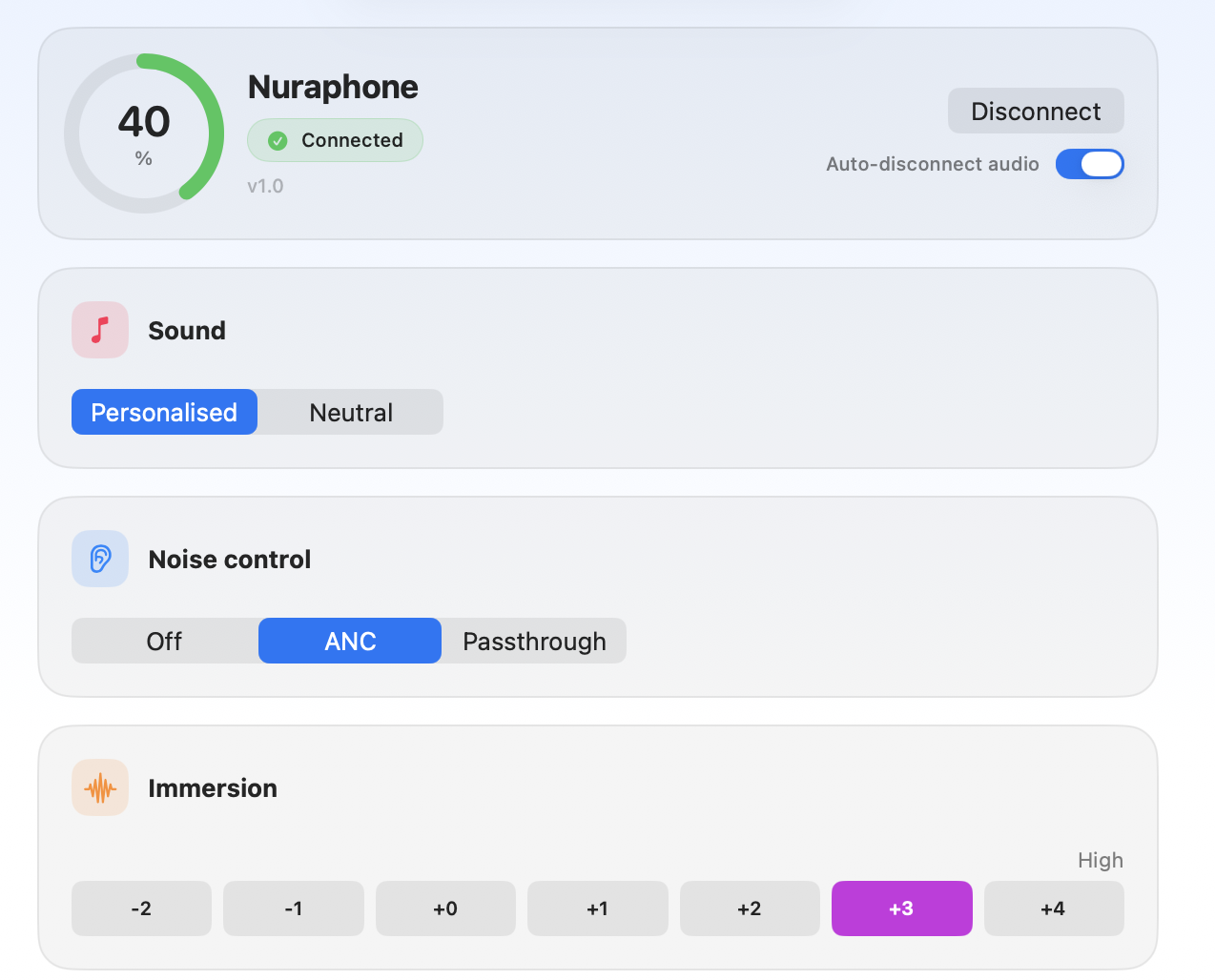
Anyway, the result of my experimentation is an evolution of OpenNura for Mac: a native macOS app that can recover your headphone’s key with nothing but your Nura account and a Mac, and then gives you full control of the important settings. Noise cancelling and social mode, personalised sound, immersion, switching and renaming profiles, remapping the touch buttons, and even a wee visualisation of your hearing profiles so you can compare them.
The initial screenMain screen controls
As a bonus, there’s also a menu bar app and global, user-definable hotkeys too, so you can quickly switch things mid-song.
The menu bar
Final Words
There’s a signed and notarised build of the Mac app on the releases page if you just want to download it, and I am chuffed to see that the PR has already been merged into the official project.
It might be worth doing this even if you don’t plan to use the app day-to-day, as it means you can retrieve your key and ensure that your headphones remain controllable in the years to come, even if Nura’s servers eventually go offline. On the key retrieval specifically: it signs in with your own Nura account, talks only to Nura’s official servers, and stores the key locally in your Mac’s Keychain. Nothing goes anywhere else, and it’s all open source so you can check for yourself (or build from source if you’d rather not run a binary).
I am really pleased that nearly a decade after I first got these headphones, with manufacturer support disappearing, I can now use these more seamlessly with my laptop, and hopefully ensure that’s the case even when the official mobile app stops working. All thanks to the community. Open source at its best.
—
Exciting Disclaimer Notes
A word of warning if you try this yourself: these are reverse-engineered protocols talking to hardware strapped to your ears. At one point during development the headphones let out a genuinely deafening tone, which prompted a whole layer of safety guards in the app. It’s all in the README, but the short version is: first time you connect, keep the tips out of your ears. Use at your own risk.
Nura and Nuraphone are trademarks of their respective owners. This non-commercial project is not affiliated with or endorsed by them in any way; the names are used only to identify compatible hardware.
Whether in-person or remote – they always felt like an interruption; A distraction from what I was supposed to be doing. A disruption to productivity. One single 60 minute call could effectively de-rail an entire day.
Over time, I’ve adopted various strategies to limit the number of calls on my calendar, and deliberately batch them to mitigate the heavy cost of context-switching.
Such an aversion to calls can often be seen as laziness, but the truth is that not everybody operates in the same way, and I’ve come to realise that rather than a deficiency, the manner in which my brain perceives time, concentration, and obligations is just a bit different from others. (While not exactly the same, there’s a good article that touches on the idea of the Maker v. Manager schedule).
To some end this has been a blessing. For one thing, I have managed to avoid the trap that many mangers or senior people seem to fall into – with constant, back-to-back meetings attended out of a self-imposed sense of expectation, sucking up all of my available time.
However. Meetings are also unavoidable. And dare I say it, also sometimes beneficial. Especially if you work remotely – as it provides an opportunity to communicate ‘face to face’, rather than asynchronously over text – with all of the associated positives. As a result, I have continued to search and experiment with different ways to hopefully lessen the cognitive burden.
Time Blindness
Something I discovered was that my natural inclination is to fixate on any scheduled calls as the ‘big thing’ for that day, which in my mind then squeezes out the ability to do anything meaningful on either side. A kind of time blindness.
I tried different ways to combat this. For example: Tagging every item on my to do list with an estimated time of completion. The idea being that this would force my brain to realise that there was time to do other tasks, even if it felt there wasn’t. However, nothing really stuck.
The closest I came was with a physical daily planner. By laying out the ‘big things’ I had to do on paper, I could clearly visualise the amount of time left – which was always much more than expected.
As much as I love the tangibility of that… it is also inherently inflexible. Schedules change. Things move around. And you can’t easily change what has been commited to paper. So… I created my own digital version.
The Daily Planner
Holding Pattern is a bespoke daily planner that I created with Claude Co-Work.
It pulls in data from my personal and work calendars via Google oAuth, and allows me to augment these bigger ‘events’ with smaller additional daily ‘tasks’ that aren’t important enough to warrant their own calendar entries.
Similar to my old-school paper planner, the tool allows me to visualise each day in a way that clearly demonstrates how much time there actually is – rather than fixating on the one ‘big’ meeting or call.
Fake data!
Another feature I built-in was the ability to tag, and then check-off or track different events. This produces a list of completed tasks, demonstrating at a glance how much (or little) I have done over any given period, and providing a source for producing bi-weekly personal updates.
I need to do more, clearly.
There are definitely tools out there that do various bits of what this tool does. Calendars, To Do Lists, Planners – but none of them combined all of the features I wanted in a single place – without additional fluff or complexity.
Implementation
The planner took a day or so to build, and is hosted on GitHub Pages, served via a custom subdomain to make it easier to remember.
It relies fairly heavily on Google oAuth – both to connect to my calendars, but also to synchronise the additional ‘task’ and settings data to Google Drive. That, coupled with the bespoke personal nature means that it is unlikely to be much use off the shelf to anybody else. But… perhaps it will help to spark some ideas for folks out there who have similar struggles with scheduling. The project source is available on GitHub, should you want to poke about.
While there are certainly many major questions about the advent of AI technology, I can’t help but be impressed and excited about the potential it provides for individualised solutions like this.
As ridiculous as the Game Boy camera may be, it is also strangely charming.
Outside of its obvious limitations, one of the big challenges has always been how to get your pictures off the camera in a usable format, since it was obviously never designed to shoot, store, or transfer images via SD card.
Various clever methods have been developed by the community over the years, and often involve extracting the images from the camera’s save file. There are some great tools available for this, but their feature sets are often fairly limited. While I liked the whole GB Camera a e s t h e t i c, I also didn’t want to spend ages in Photoshop afterwards, upscaling and stylising them every time. So… after rediscovering the format when I bought an Analogue Pocket, I thought I would put the development in AI technology to use… to build a dedicated Game Boy Camera image extractor and processor. Hence: the DMG Darkroom.
DMG DarkRoom: GB Camera Companion
The concept of the app is simple: You load up a Game Boy Camera .sav file, or save-state via a connected Analogue Pocket, From there, you can then view, edit, and export the pictures with a variety of different options that are specific to the lofi nature of the beast.
The features include…
SAV & SD card loading – Open Game Boy Camera .sav files directly, or auto-scan your Analogue Pocket SD card
Photo grid – Browse all 30 photo slots with adjustable thumbnail size, solo view, lightbox, and fullscreen presentation mode
100+ colour palettes – DMG, GBC, SGB, Lospec community palettes, plus a custom palette editor with import/export
For a long time, I’ve been able to use and enjoy my Game Boy camera thanks to the work put in by other folks in the community to keep them alive. Hopefully this project… with all of its added features proves just as useful to someone else.