The Background
A long time ago I bought a set of Nuraphones – these unique, over-ear headphones that promised immersive sound and incredible bass.

The results were good, and to this day I haven’t ever tried any other headphones like them. They weren’t without their flaws though: bulky, uncomfortable, and with proprietary cables – all factors which meant I haven’t really used them much over the last few years.
Recently, I dug them out to have another go, and discovered a couple of things:
- A simple mod had been discovered that made the inner-ear tips a bit less fatiguing on the ol’ lugs.
- The manufacturer had been bought out, and the nuraphones discontinued in 2023.
While it was great news that I could now enjoy the impressive sound of these things without wanting to rip my ears out from the pain, the fact they were no longer going to be supported by the manufacturer was a real issue, because certain key settings of the headphones can only be modified with the use of a mobile app. It was just a matter of time before that was no longer supported.
Thankfully, after a bit of Googling, I found that the community had created a few different desktop applications to allow access to these settings.
The projects that already existed
The star of the show is opennura by James Young: an open-source Mac app that already spoke the nuraphone’s control protocol (Qualcomm GAIA) and had the encryption handshake figured out. There was just one catch. Every nuraphone has a unique encryption key baked into it, and without that key an app can connect to the headphones but not actually control them. The official mobile app fetched the key from Nura’s servers when you first set the headphones up, and there was no way to do that on a Mac.
That piece of the puzzle had been solved by Nura-Windows, an impressively thorough bit of reverse engineering by Callum Carmicheal. His project worked out the entire ‘provisioning’ dance: sign in with your Nura account, and the app lets the headphones communicate with the Nura servers to get your key. Brilliant. Also: Windows only.
So the situation was a Mac app that couldn’t get the key, and a Windows app that could. Huge thanks to both James and Callum, because without their work none of what follows would exist.
The Application
I got in touch with James to ask if he would be open to releasing his work under the GPL, and me forking it – to which he kindly agreed (the Nura Windows project was already released under an Apache 2 License).
With a lot of help from Claude, I ported the key recovery flow from the Windows project over to macOS. Along the way I ran into a number of issues, including the discovery that the headphones wouldn’t play nicely for me over bluetooth LE – only classic Bluetooth.
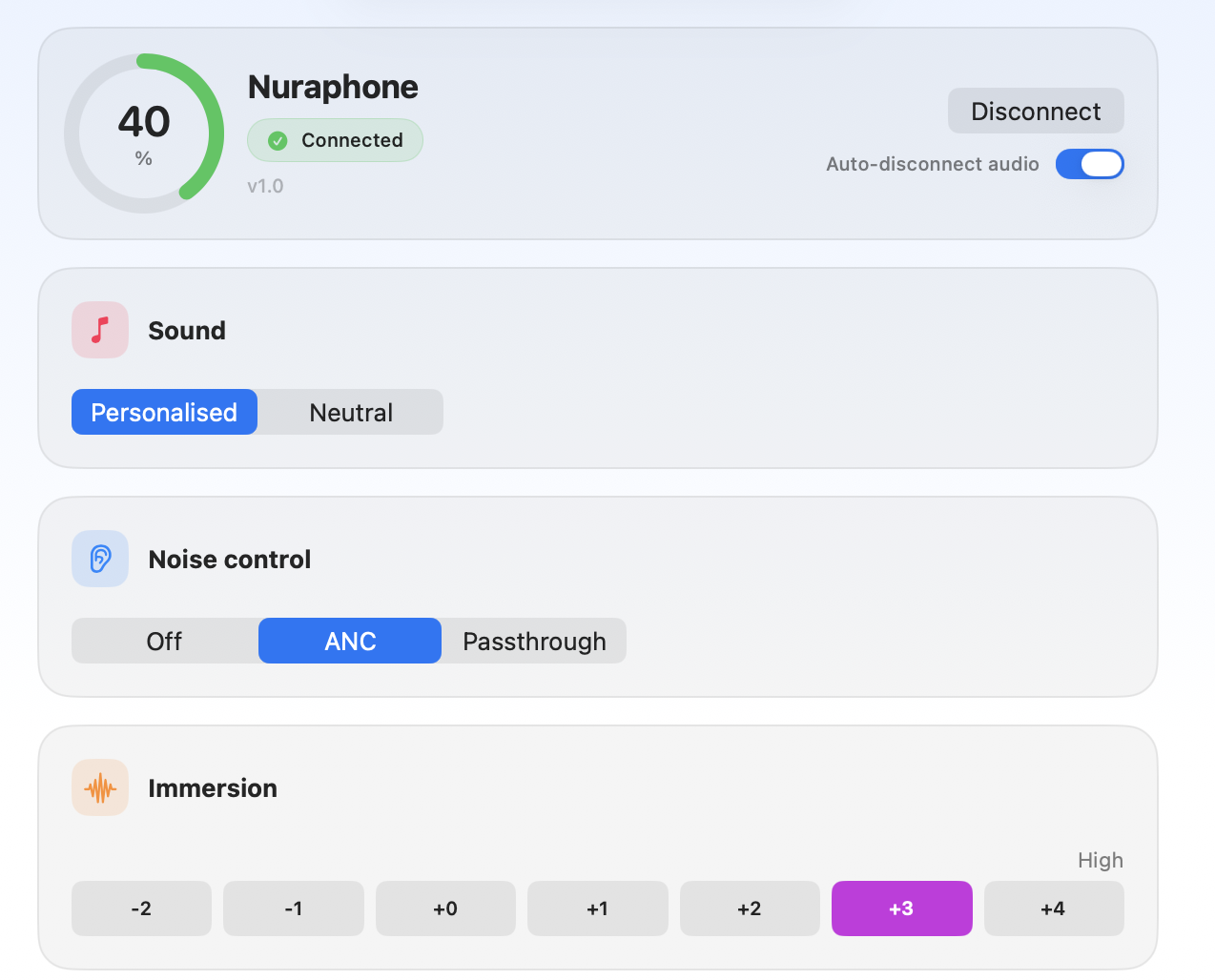
Anyway, the result of my experimentation is an evolution of OpenNura for Mac: a native macOS app that can recover your headphone’s key with nothing but your Nura account and a Mac, and then gives you full control of the important settings. Noise cancelling and social mode, personalised sound, immersion, switching and renaming profiles, remapping the touch buttons, and even a wee visualisation of your hearing profiles so you can compare them.


As a bonus, there’s also a menu bar app and global, user-definable hotkeys too, so you can quickly switch things mid-song.

Final Words
There’s a signed and notarised build of the Mac app on the releases page if you just want to download it, and I am chuffed to see that the PR has already been merged into the official project.
It might be worth doing this even if you don’t plan to use the app day-to-day, as it means you can retrieve your key and ensure that your headphones remain controllable in the years to come, even if Nura’s servers eventually go offline. On the key retrieval specifically: it signs in with your own Nura account, talks only to Nura’s official servers, and stores the key locally in your Mac’s Keychain. Nothing goes anywhere else, and it’s all open source so you can check for yourself (or build from source if you’d rather not run a binary).
I am really pleased that nearly a decade after I first got these headphones, with manufacturer support disappearing, I can now use these more seamlessly with my laptop, and hopefully ensure that’s the case even when the official mobile app stops working. All thanks to the community. Open source at its best.
—
Exciting Disclaimer Notes
A word of warning if you try this yourself: these are reverse-engineered protocols talking to hardware strapped to your ears. At one point during development the headphones let out a genuinely deafening tone, which prompted a whole layer of safety guards in the app. It’s all in the README, but the short version is: first time you connect, keep the tips out of your ears. Use at your own risk.
Nura and Nuraphone are trademarks of their respective owners. This non-commercial project is not affiliated with or endorsed by them in any way; the names are used only to identify compatible hardware.