I am a big fan of hardware trackers, and a few months ago, I got a Pico Tracker Advance from Xiphonics.
I won’t go into all of the ins-and-outs of what a tracker is, but for those that don’t know – it’s a way of composing music popularised by software like OctaMED on the Amiga, and LSDJ on the Game Boy.
The whole point of the Pico Tracker Advance is that you can write tunes on the go, with its rather nice portable handheld form. However, a computer inevitably ends up involved in the process at various stages – to transfer samples, or export your songs.
As something of a well-heeled tracker enthusiast, I know from experience that there are a bunch of things that are just easier on the computer – and so I built out a collection of tools specifically designed to augment the whole process.
You can find PT-Librarian over on my site here.

There are a pile of features, but some of the key ones are:
Project manager – view, preview, and edit projects – including exporting stems/mixdowns.
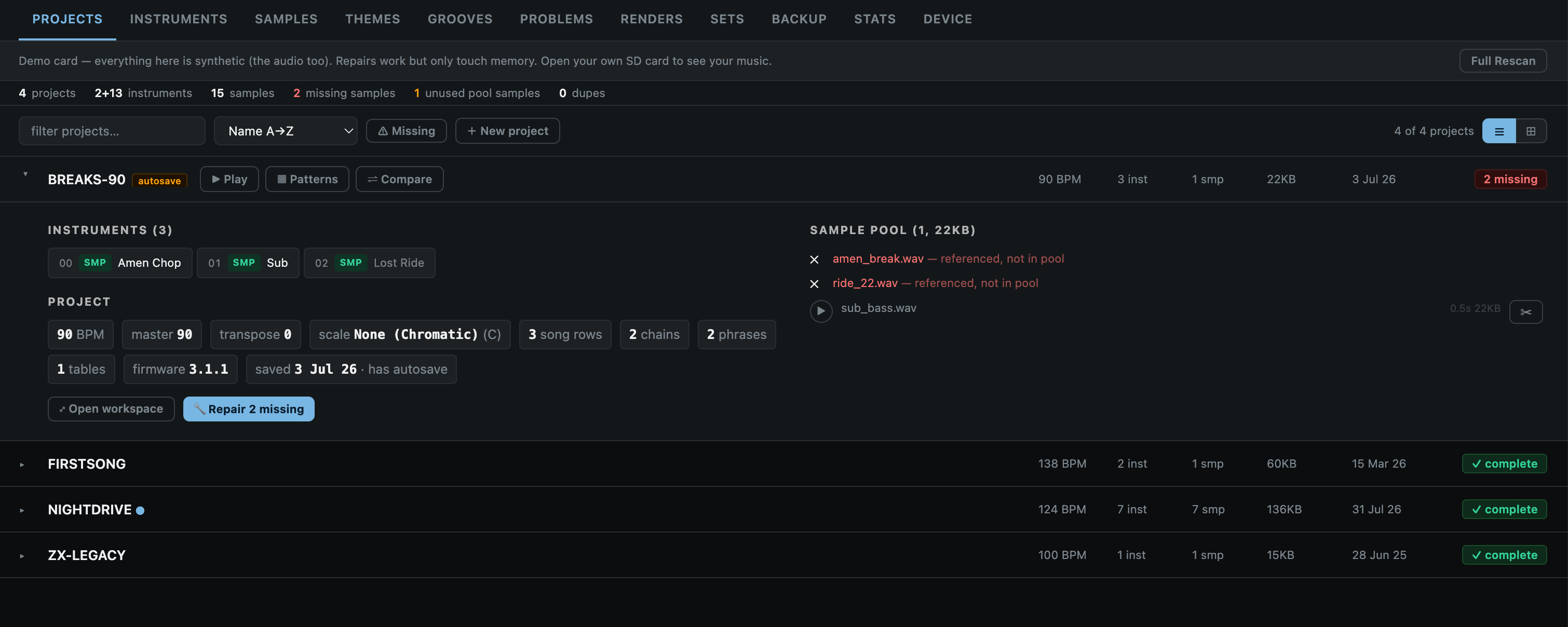
Setlist builder – to create custom folders of songs in order, ready for playing live.

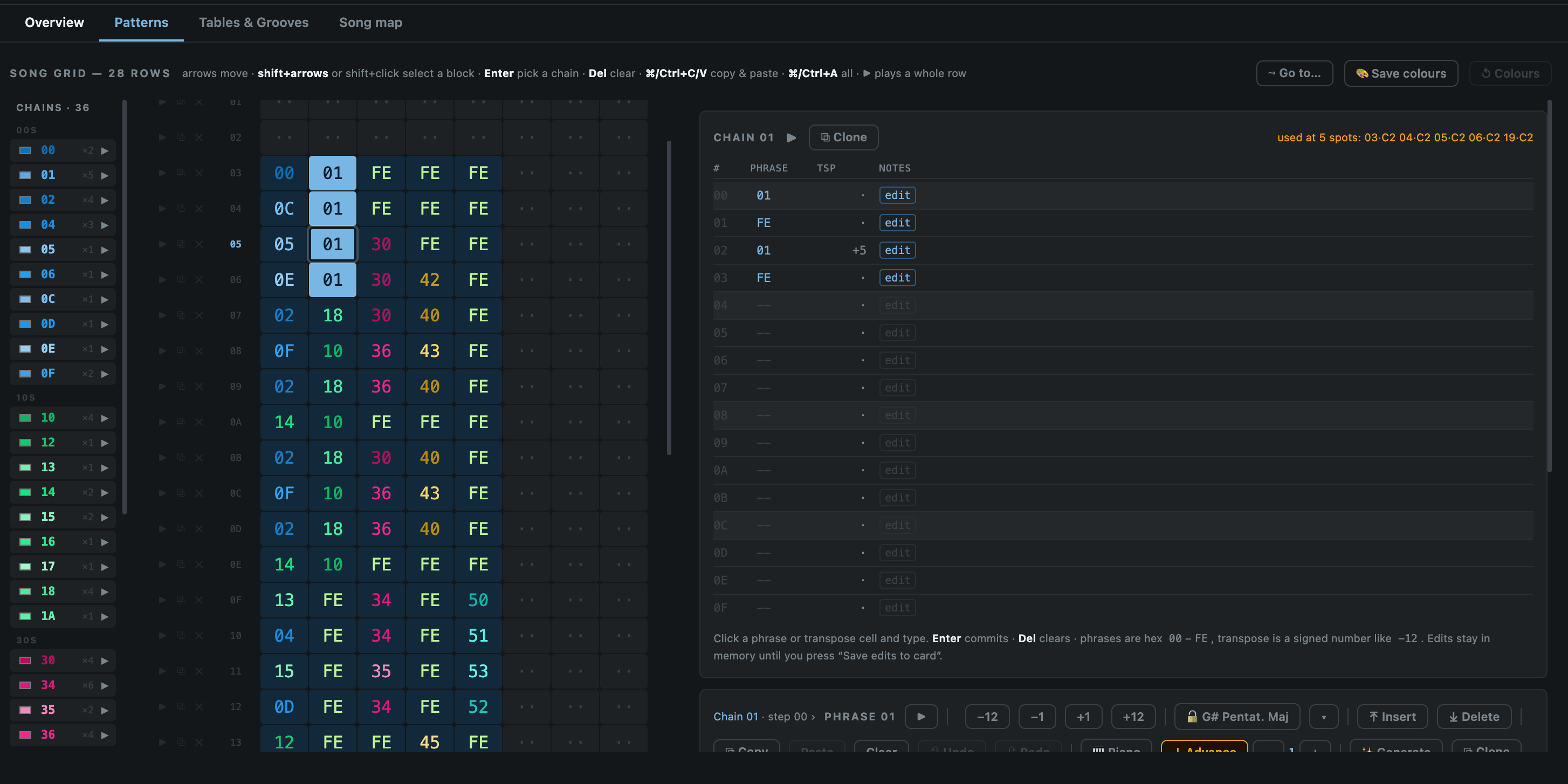
Pattern editor – tweak patterns/edit songs from the browser.
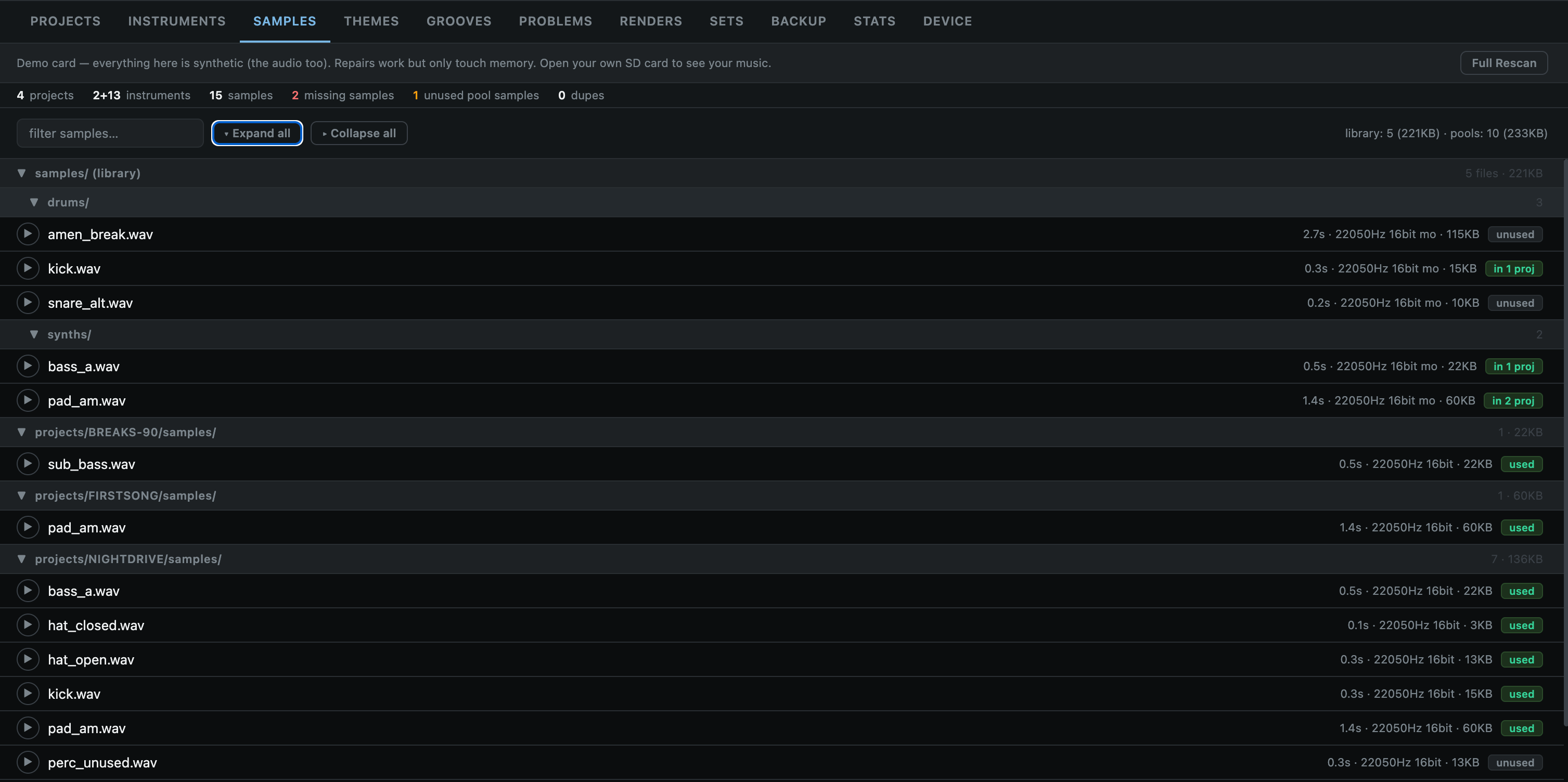
Sample manager – analyse, preview, delete, and identify broken links to samples.
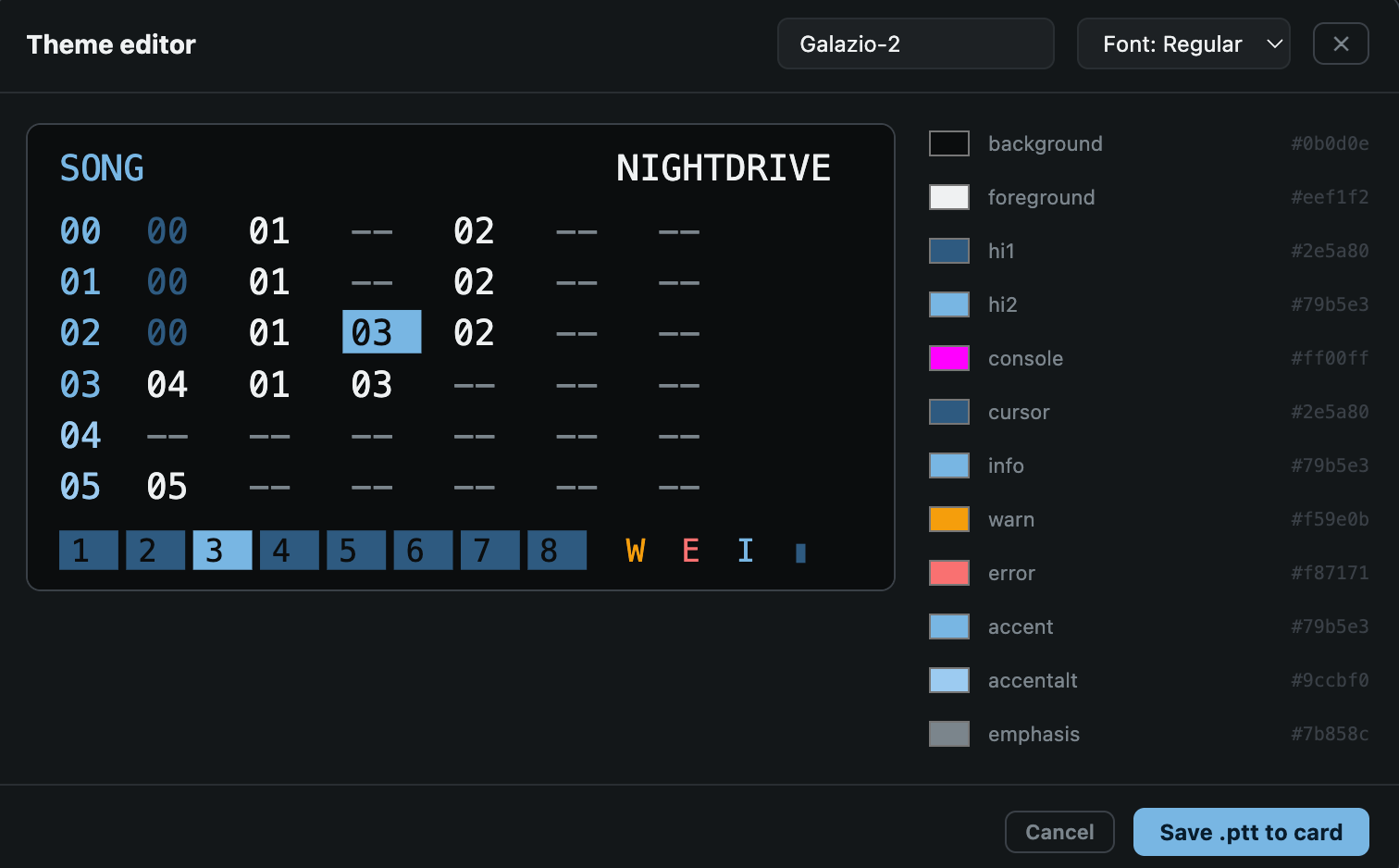
Theme manager – Create, edit, preview, and apply themes.

Audio Reactive Video Mirror – This is a big fun one for me. It lets you use the remote UI to mirror the display, apply effects and also have them react to incoming audio. Good for playing live/recording via OBS for music videos or whatever.

Fair Warning: This is a collection of utilities I put together for my own personal whims, and development is still experimental. Feel free to try it out, but make sure to backup your projects and SD card to avoid any unintended data loss. I don’t take responsibility for any screw-ups!